How to Pay NBI Clearance Using GCash? Complete Guide (2026)
Getting your NBI Clearance Using GCash has become much simpler in recent years, especially with the rise of digital payment platforms. Gone are the days of long queues and tedious trips to payment centers. Now, with GCash, you can pay your NBI clearance fee directly from your mobile phone, anytime and anywhere. This modern payment method saves time, is secure, and ensures that your NBI Clearance Using GCash application moves forward without unnecessary delays.
Whether you are applying for your first clearance, renewing your NBI, or preparing documents for employment or travel, understanding the step-by-step process of paying with GCash will make the entire experience smooth and hassle-free. In this guide, we’ll cover everything you need to know — from setting up your GCash account to troubleshooting common payment issues — so that your NBI clearance process is seamless.
What is GCash and Why Use It for NBI Clearance Payment?
GCash is a mobile wallet developed by Globe Fintech Innovations, Inc., designed for Filipinos who want fast, convenient, and cashless payment options. Launched in 2012 as a mobile app, it has become one of the most trusted digital wallets in the Philippines, allowing users to pay bills, transfer money, and even pay government fees like the NBI Clearance.
The advantages of using GCash for your NBI Clearance payment include:
- Convenience: Pay anytime, anywhere without visiting a bank or payment center.
- Fast Processing: Payments usually reflect within minutes.
- Secure Transactions: Protected by a 4-digit MPIN and optional two-factor authentication.
- Digital Receipts: Keep a digital confirmation for proof of payment.
In 2026, GCash remains one of the official e-payment partners of NBI, making it a reliable choice for cashless transactions.
Requirements to Pay NBI Clearance Using GCash
Before making your payment, make sure you have the following:
- Reference Number: Obtained after completing your NBI online application and scheduling your appointment.
- Sufficient GCash Balance: Regular NBI clearance fee is ₱130, plus a ₱25 service charge if paid via GCash. Total: ₱155.
- GCash App Installed: Downloaded and logged in on your mobile device.
- Stable Internet Connection: To avoid failed transactions.
- Valid Contact Information: Email and mobile number for confirmation.
Ensuring all these requirements are ready will prevent delays and make your payment process smooth.
NBI Clearance Requirements Complete Easy Guide
Step-by-Step Guide to Pay NBI Clearance Using GCash
Here is a detailed, easy-to-follow step-by-step guide for paying your NBI clearance fee using GCash:
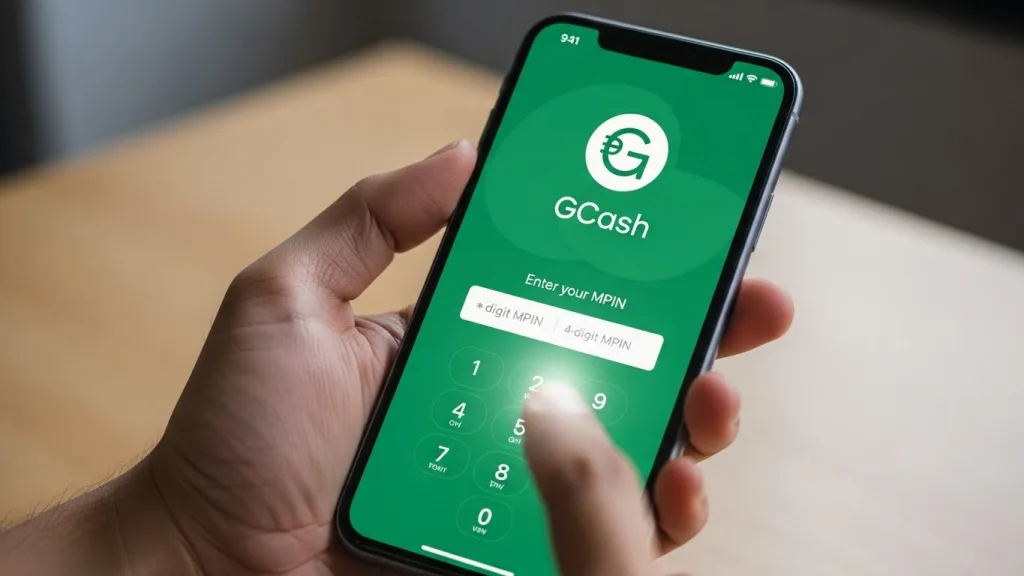
Step 1: Open the GCash App
Launch the GCash app on your smartphone. Log in using your 4-digit MPIN.
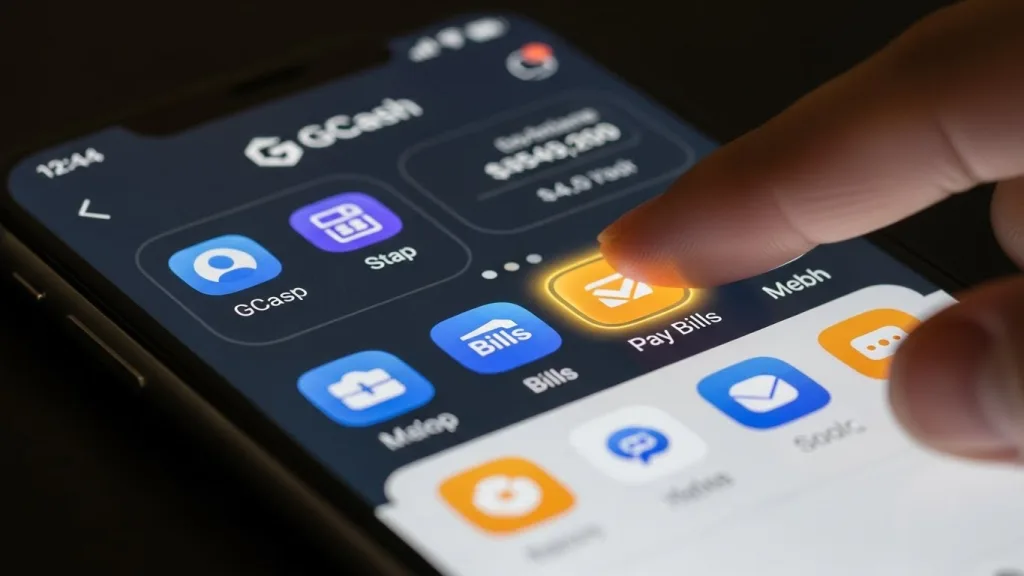
Step 2: Go to Bills Payment
From the home screen, tap “Bills” or “Pay Bills” to start the payment process.
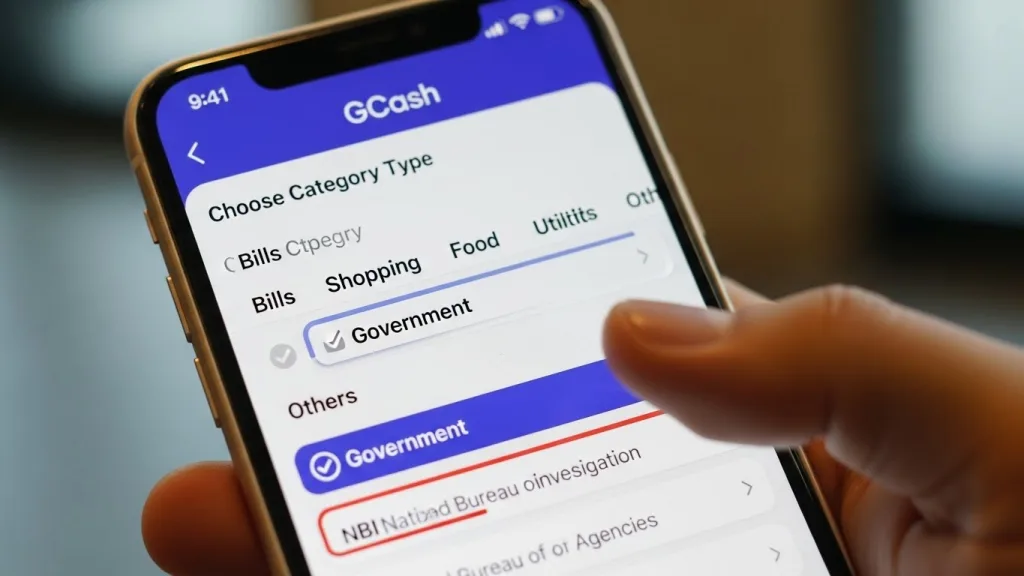
Step 3: Choose Government
Under the categories listed, select “Government” to locate NBI among the available agencies.
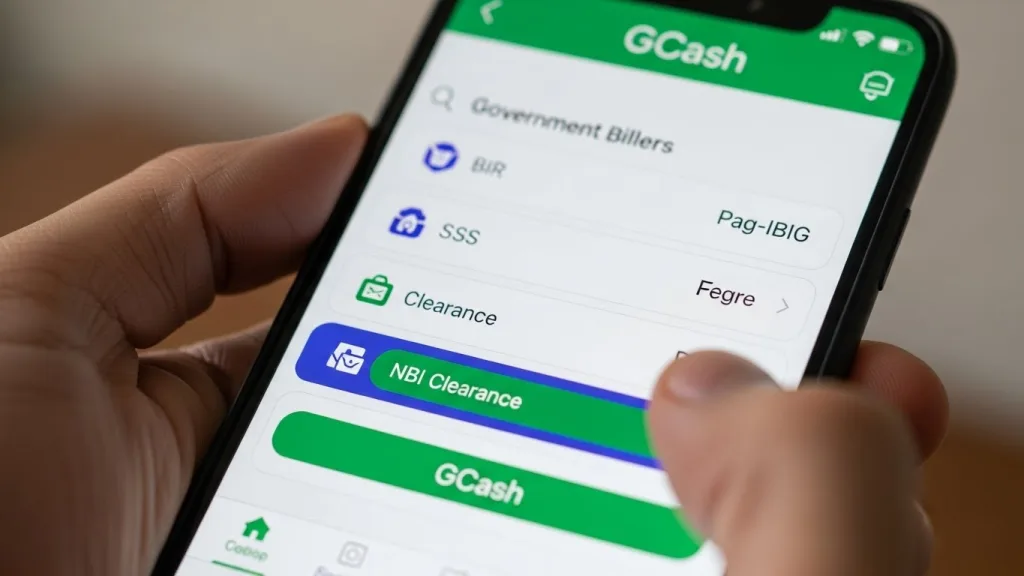
Step 4: Select NBI Clearance
Scroll through the government billers and tap “NBI” or “NBI Clearance”.
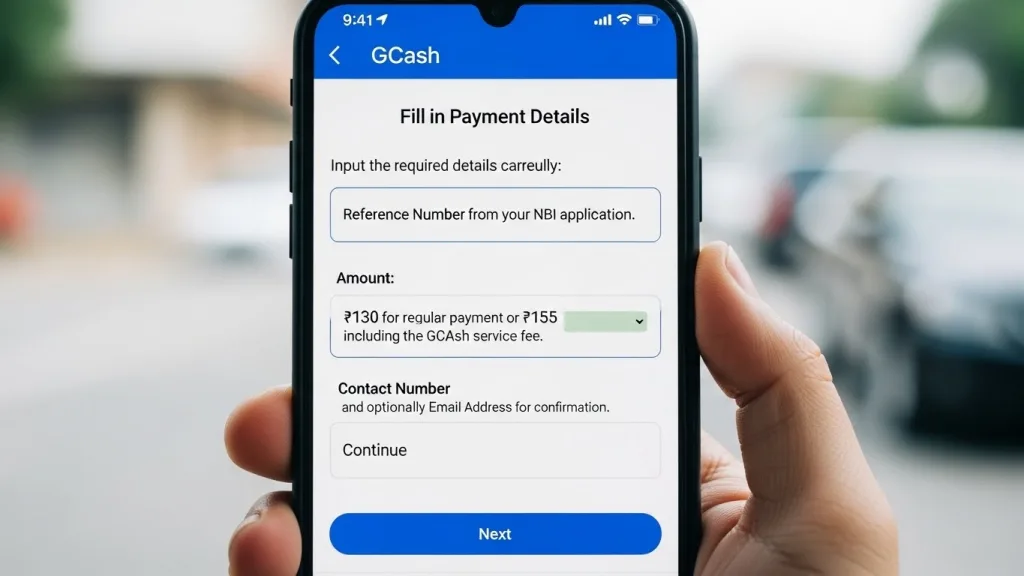
Step 5: Fill in Payment Details
Input the required details carefully:
- Reference Number from your NBI application.
- Amount: ₱130 for regular payment or ₱155 including the GCash service fee.
- Contact Number and optionally Email Address for confirmation.
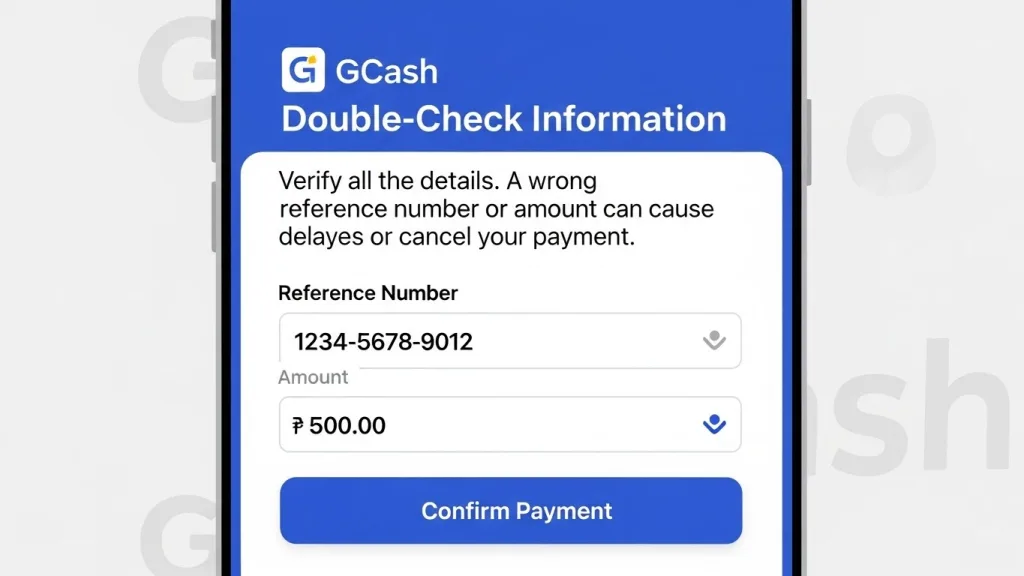
Step 6: Double-Check Information
Verify all the details. A wrong reference number or amount can cause delays or cancel your payment.
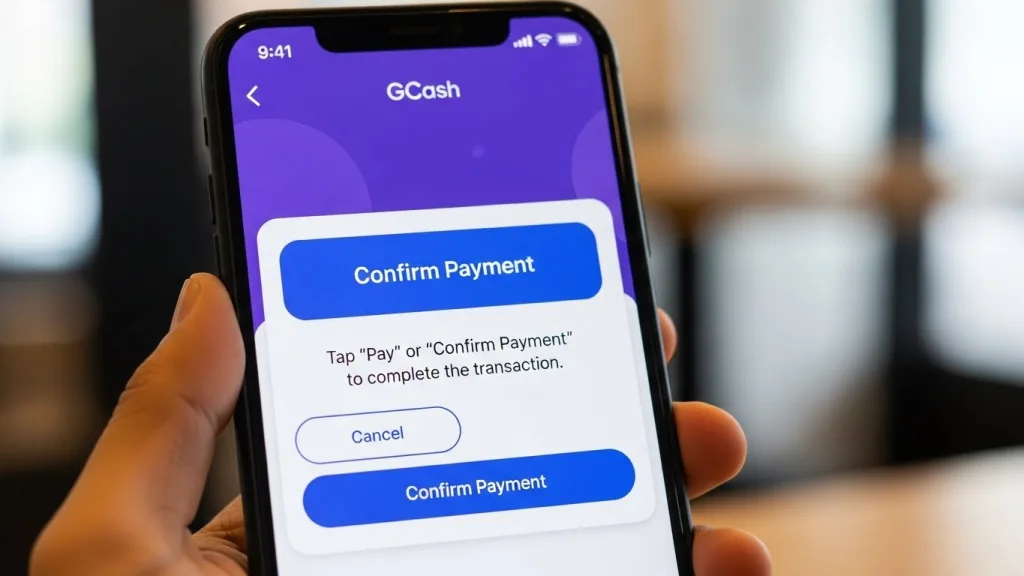
Step 7: Confirm Payment
Tap “Pay” or “Confirm Payment” to complete the transaction.
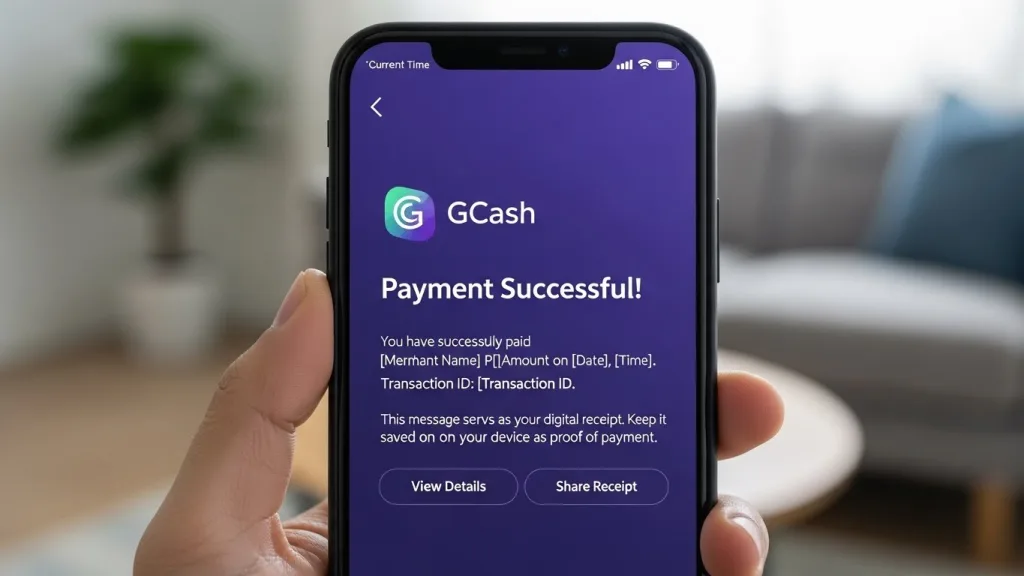
Step 8: Receive Confirmation
You will get a confirmation message from GCash, which acts as your digital receipt. Keep it saved on your device as proof of payment.
Other Ways to Pay NBI Using GCash
If you prefer alternative methods, GCash provides additional convenient options:
1. Scan QR Code at NBI Centers
- Open the GCash app → Tap “Scan QR”.
- Point your camera at the QR code displayed at NBI or partner payment centers.
- Follow the on-screen instructions to complete payment.
2. Pay via NBI Online Portal
- Visit the official NBI website: NBI Clearance
- Choose GCash as the payment method.
- Scan the QR code displayed on your screen using the GCash app.
- Confirm payment and save your receipt.
Both methods are fast, secure, and allow instant confirmation of your payment.
Setting Up Your GCash Account for NBI Payment
Before making a payment, ensure your GCash account is ready:
- Download and Install: Available on Google Play Store or Apple App Store.
- Register Account: Provide your phone number, full name, and basic personal details.
- Verify Identity: Upload a valid ID and selfie for account verification.
- Set Secure PIN: Choose a 4-digit MPIN to protect your account.
- Add Balance: Ensure enough funds to cover the NBI fee (₱155).
Once your account is fully verified and funded, you’re ready to pay your clearance fee anytime.
NBI Clearance Fee Breakdown (2026)
| Fee Type | Amount | Description |
|---|---|---|
| NBI Clearance Fee | ₱130 | Standard processing fee for all applicants |
| GCash Service Fee | ₱25 | Charged for digital payment convenience |
| Total | ₱155 | Total payment required for NBI clearance |
Common Payment Issues and How to Fix Them
Even with GCash, you might face issues. Here are common problems and solutions:
- Payment Pending: Wait 30–60 minutes; system sync may take time.
- Incorrect Reference Number: Contact NBI helpdesk with the transaction screenshot.
- Insufficient Balance: Ensure at least ₱155 in your wallet before starting.
- Duplicate Payment: Contact GCash support with both transaction IDs.
- Failed Transactions: Check internet connectivity or try again later.
Tips for a Smooth GCash Payment Experience
- Always double-check your NBI Reference Number.
- Keep your digital receipt or confirmation message saved.
- Ensure a stable internet connection to avoid transaction errors.
- Pay before the deadline; unpaid slots will expire.
- Use verified GCash accounts to ensure security.
Alternative Payment Options
If you cannot use GCash, there are multiple other ways to pay for your NBI clearance:
- 7-Eleven CLiQQ Kiosks
- Bayad Centers
- Maya App
- BPI, BDO, LandBank, Security Bank Online
- ECPay Partner Outlets
- Visa/MasterCard via NBI Online Portal
While these options work, GCash is the most convenient, cashless, and fast method.
What Happens After Payment?
Once your NBI clearance fee is paid:
- Your appointment slot is confirmed.
- A digital receipt from GCash serves as proof of payment.
- At the NBI branch, bring your printed application form, valid ID, and payment confirmation.
- Complete biometrics and photo capture.
- Your NBI clearance will be issued on the same day (if no HIT is found).
How to Check If Your NBI Payment Was Completed Successfully
It is important to confirm your payment status to make sure your NBI appointment has been successfully secured.
You can check your payment using these methods:
Through the GCash App:
Open the GCash app and go to the Activity section. Look for your NBI payment transaction and confirm that it shows as successful.
Through the NBI Online Portal:
Sign in to your NBI account and open the Transactions section. If your payment has been processed, the status will display Paid, and your appointment will be confirmed.
If the payment status has not changed yet, wait a few minutes because system updates may take some time.
What to Do If Your GCash Payment Is Not Showing
In some cases, payment confirmation may be delayed because of internet connectivity issues or temporary system processing delays. This does not automatically mean your payment failed.
Follow these steps:
- Wait for 1–2 hours and check again.
- Review your GCash Activity history to verify that the payment was completed.
- If the issue continues, contact the GCash Help Center or NBI Support and provide your reference number along with your transaction details.
Make sure to save a screenshot of your GCash receipt, as it serves as proof of payment.
Can You Use GCash to Pay for Another Person’s NBI Clearance?
Yes. You can pay for someone else’s NBI Clearance through GCash if you enter the correct reference number generated from their NBI online application.
The payment is connected to the reference number rather than the GCash account used for payment. This makes it possible to pay on behalf of relatives or friends. Just double-check the details before completing the transaction.
Is GCash a Safe Payment Option for NBI in 2026?
Yes. GCash provides a secure way to pay for NBI Clearance. Transactions are processed through authorized payment systems that use advanced security measures to protect user information.
After payment, GCash sends a confirmation message and records the transaction in your account history, giving you a reliable payment record.
Can You Request a Refund for an Incorrect NBI Reference Number?
In most situations, payments cannot be refunded once they have been successfully processed.
If you accidentally enter the wrong reference number, the payment may not be linked to your NBI application, and refunds are generally not available.
However, if the payment was affected by a technical or system-related issue, you can contact GCash Support for assistance. Be prepared to provide your transaction ID and the reference number used during payment.
Frequently Asked Questions (FAQs)
Conclusion
Paying for your NBI Clearance using GCash is a fast, secure, and convenient method, perfect for modern Filipinos who value their time. With just a few clicks, you can settle your fees from anywhere, at any time, and receive instant digital confirmation. The process is straightforward, and even first-time users can complete it with ease.
Remember to double-check your Reference Number, maintain a sufficient GCash balance, and save your digital receipt. With these simple steps, your NBI clearance application will proceed without delays, making the entire experience stress-free and efficient. Embrace the ease of digital payment and skip the long queues — your NBI Clearance is now just a few taps away.